
What Internet Speed Do You Need for IPTV?
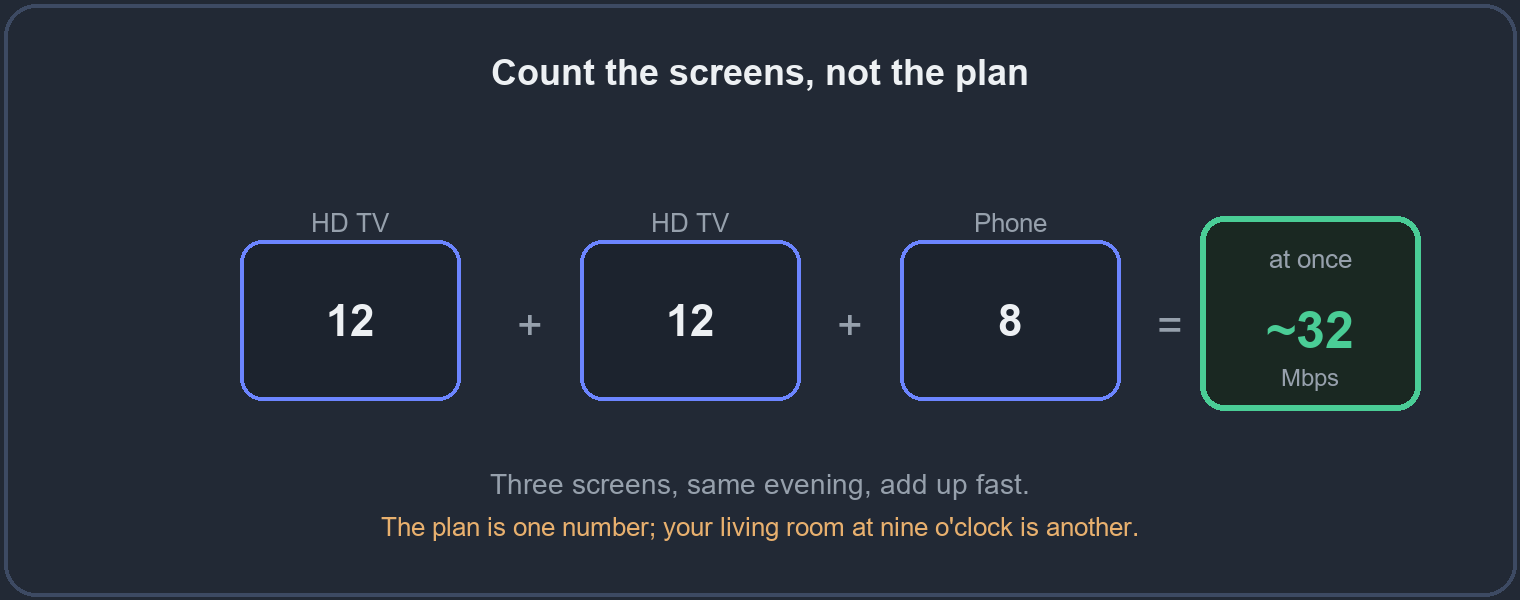
The honest answer is: less than people think for one stream, but more than they plan for once several screens are running. Count the screens, not the plan – the plan is one number, your living room at nine o’clock is another. This guide gives the real figures per stream, shows how to add up a whole household, and explains why a fast plan can still buffer.
On this page
The numbers, per stream
Here is what each quality needs comfortably, with headroom built in so a brief dip does not stop the picture. These are per stream – one screen playing one channel.
| Quality | Comfortable speed, per stream |
|---|---|
| SD | around 3-5 Mbps |
| HD (720p-1080p) | around 8-12 Mbps |
| Full HD, high bitrate | around 15 Mbps |
| 4K | around 25 Mbps |
One HD television on a 50 Mbps line has plenty to spare – which is why, for a single screen, speed is rarely the real problem. The trouble starts when the screens multiply.
How to count several screens
Add them up. Two HD televisions and a phone all playing at once is roughly 12 + 12 + 8, so about 32 Mbps at the same moment – and that is before anyone opens a game download, a video call, or a music stream on the same line. The common mistake is to check one screen, see a fine number, and forget the rest of the home.
So the figure that matters is not your plan’s headline speed but the total of every screen that runs together at your busy hour. If that total sits close to your real evening speed, you are at the ceiling – and the picture will stutter on whichever screen asks for the most.
Why a fast plan still buffers
Speed is only one of the things that decides whether a stream holds. Three others matter just as much, and they are the reason a 300 Mbps plan can still stutter:
- Wi-Fi, not the plan. A fast line means little if the television is three walls from the router. The weak link is usually the last few metres of Wi-Fi, not the connection into the house. See our guide on why IPTV freezes or buffers for the full picture.
- Stability, not peak. A connection that averages fast but dips for a second will stutter at exactly that second. Steady beats fast-but-jumpy for live television.
- The busy hour. Many connections slow in the evening when the whole street is online. The speed you have at nine at night is the one that counts, not the one at lunchtime.
The ten-minute test
- Run a speed test on the device you watch on, in the room you watch in – not standing next to the router.
- Do it in the evening, at your normal viewing hour.
- Compare the result to the table above, remembering to add up every screen that runs at once.
- If the number is fine but it still buffers, the problem is Wi-Fi reach or stability, not the plan.
Fixes, cheapest first
Work down this list – most people never reach the bottom:
- Move the device closer to the router, or the router closer to the device and up off the floor.
- Run a cable to the main television if you can. A wired screen almost never buffers, and it is the single most reliable fix.
- On Wi-Fi, use the 5 GHz band for the screens near the router and keep the far ones on 2.4 GHz, which reaches further.
- Only then consider a faster plan – and only if your own evening test showed the line, not the Wi-Fi, was short.
Data use on capped or mobile connections
If you watch on a mobile connection or a plan with a data cap, speed is only half the story – the total you use matters too. As a rough guide, an hour of HD is in the region of a couple of gigabytes, and 4K several times that. A long evening of 4K across two screens can move a surprising amount of data, so on a capped line, choosing HD over 4K is an easy way to stretch it without a visible loss on most televisions.
Questions people ask
- Is 50 Mbps enough for IPTV?
- For one or two HD screens, comfortably. For several 4K screens at once, add the numbers up before deciding.
- My speed test is fast but I still buffer. Why?
- Almost always Wi-Fi reach or an evening dip, not the plan. A cable to the main TV usually ends it.
- Does 4K need a special connection?
- No – just around 25 Mbps of steady speed per 4K stream and a screen that supports it.
- Will upgrading my plan stop the buffering?
- Only if your evening test shows the line is short. If the Wi-Fi or a weak device is the cause, a faster plan changes nothing.
Test it on your own line
The surest way to know your connection is ready is to watch on it yourself, at your own busy hour.