
The IPTV TV Guide (EPG), Explained – and the Fixes That Work
The guide is the grid of programmes your player shows beside each channel. When it is right, nobody notices it. When it is wrong, every channel feels broken. Think of the guide and the picture as two trains on parallel tracks – they leave from different stations, and they only look synchronised when both run on time. This guide explains what the EPG really is and walks through the five fixes, in the order they actually come up.
On this page
What the guide actually is
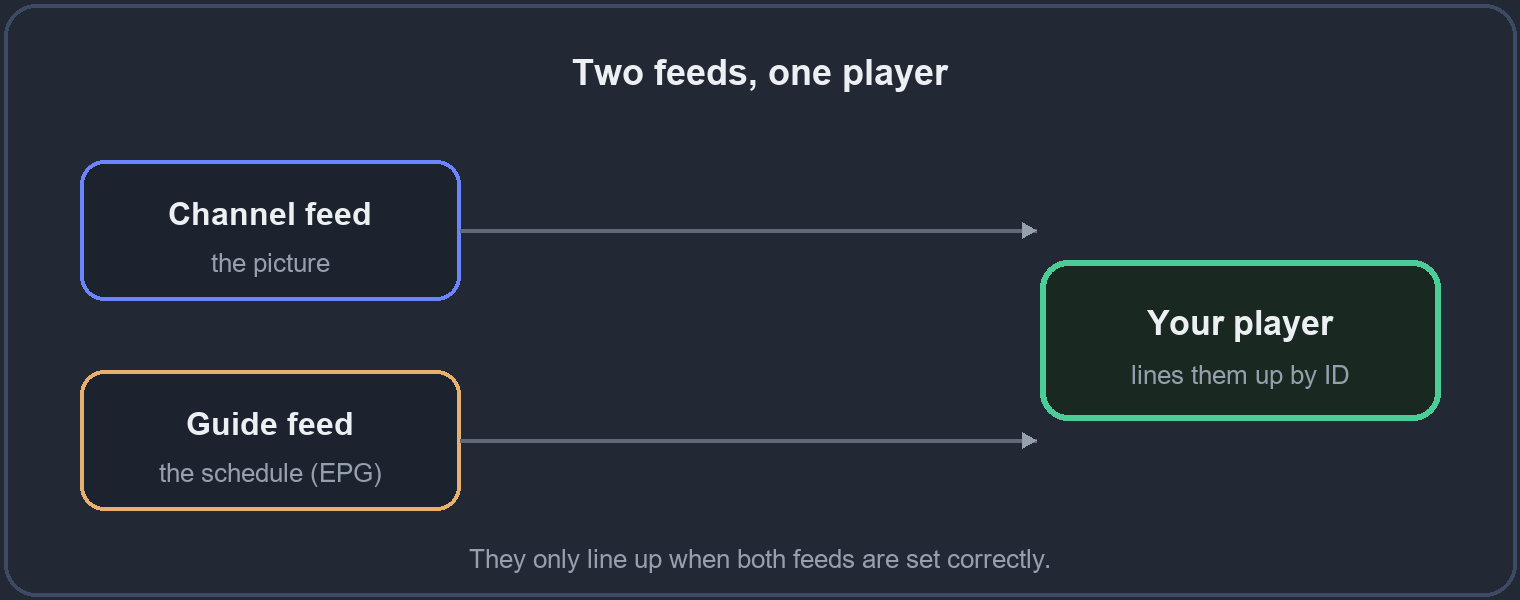
EPG stands for Electronic Programme Guide. The key thing to understand is that it is a separate feed from the channels themselves: your player downloads the channel list from one place and the programme schedule from another, then lines them up using a hidden identifier on each channel. Two feeds, joined at your player.
That one fact explains almost every guide problem. Because the picture and the schedule travel separately, a channel can play perfectly and still show no programmes, or show the wrong ones. When something looks wrong with the guide, you are nearly always looking at one of those two feeds arriving late or not matching – not a broken channel. Keep that picture in mind as you read the fixes.
Fix 1: no guide at all
If the guide is empty across every channel, the player never loaded the schedule feed. Open your player’s EPG or TV Guide settings, confirm the source is set and reachable, then force a refresh – most players have a “download EPG now” button tucked into that menu.
Give it a minute after you press it. The schedule file for a full channel list is large, and the guide fills in as it loads rather than appearing all at once. If it stays empty after a couple of minutes, the source is the thing to check again.
Fix 2: the guide shows the wrong times
This is almost always the time zone, and it is the easiest fix of all once you know. The schedule is published in one zone and your player displays it in another, so every programme lands an hour or two off. Set your player’s time zone and its GMT offset to match where you actually watch, then refresh the guide.
The tell-tale sign is that the error is consistent – everything is off by the same amount. If one channel is right and another is wrong, that is a different problem, covered next.
Fix 3: some channels have a guide, others do not
Each channel carries an identifier that ties it to its schedule. When a channel shows pictures but no programmes while its neighbours are fine, its identifier does not match any entry in the guide feed. There is nothing to set on your side for that one channel – it is a matching job at the source.
Tell us which channel through the site and we align it. This is the kind of small, ongoing upkeep that separates a well-kept guide from a neglected one, and it is worth reporting rather than living with.
Fix 4: the guide empties after a day or two
Guides are not permanent; each one holds a rolling window of a few days and then refreshes. If yours goes blank after a day or two, the automatic refresh is switched off, so the window simply runs out and is not replaced.
Turn on scheduled EPG updates in your player so it reloads the schedule on its own, usually once a day overnight. Set and forgotten, this keeps the guide full without you ever thinking about it again.
Fix 5: the guide makes the player feel slow
A full schedule for a large channel list is a heavy file, and on a low-powered box – an older stick, a basic Android TV – loading it can make the whole player stutter for a moment. This is the device working, not a fault, and it passes once the guide has loaded.
Let it finish before you start browsing, and if your player allows it, limit the guide to the channel groups you actually watch. A shorter guide loads faster and keeps a modest device responsive.
Test the guide before you pay
The guide is one of the clearest signs of a well-run service, because keeping schedules matched takes constant work that a careless operator skips. On a trial, open the guide, scroll a few channels, and check the times line up with what is really on air. If the guide is clean on a trial, it will be clean when you pay – so it is worth a minute of any trial you take.
Questions people ask
- Why does my guide show nothing even though channels play?
- The schedule feed did not load, or your player’s EPG source is not set. Channels and guide are separate feeds – one working does not mean the other is.
- All my programmes are an hour off. Is the service broken?
- No. That is a time-zone or GMT-offset setting in your player. Match it to where you watch and refresh the guide.
- Can I get a guide for every channel?
- Most carry one. If a specific channel has none, send us its name and we match it at the source.
- How do I stop the guide emptying?
- Turn on scheduled EPG updates so the player reloads the schedule automatically, usually overnight.
See the guide on your own device
The surest way to judge a guide is to open it yourself on a trial, before you decide anything.